Pick your time thieves
Tick the apps that hijack your day: social, video, games. From now on, opening them costs balance from your time bank.
 1 squat →
1:00 of screen time
1 squat →
1:00 of screen time
Block the apps that eat your day and turn every rep into screen-time minutes. The camera counts your squats; your balance decides how much scroll you can afford.


We are not going to give you another lecture about screen time. We are going to put a price on it. This is what an afternoon of scrolling costs, at today’s rate:
Suddenly two and a half hours feel like a lot. That is the point.
No infinite willpower, no digital detox retreats. A simple trade your brain gets on the first try.
Tick the apps that hijack your day: social, video, games. From now on, opening them costs balance from your time bank.
Prop up your phone, stand in front of the camera and train: every valid rep adds time. Camera-free day? Hit your step goal and that is 30 minutes.
Open a blocked app and the counter runs. When the balance hits zero, the scrolling stops — until your next set.
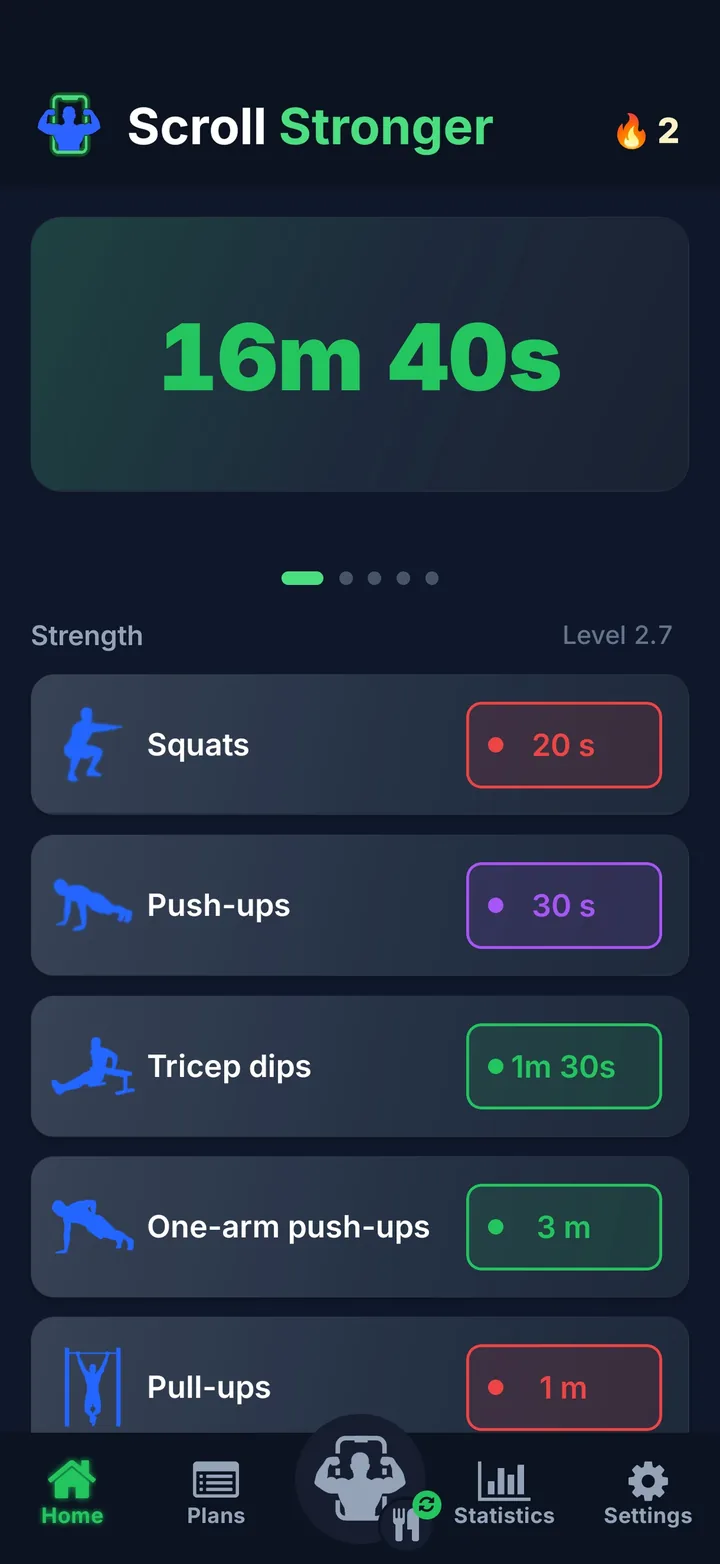
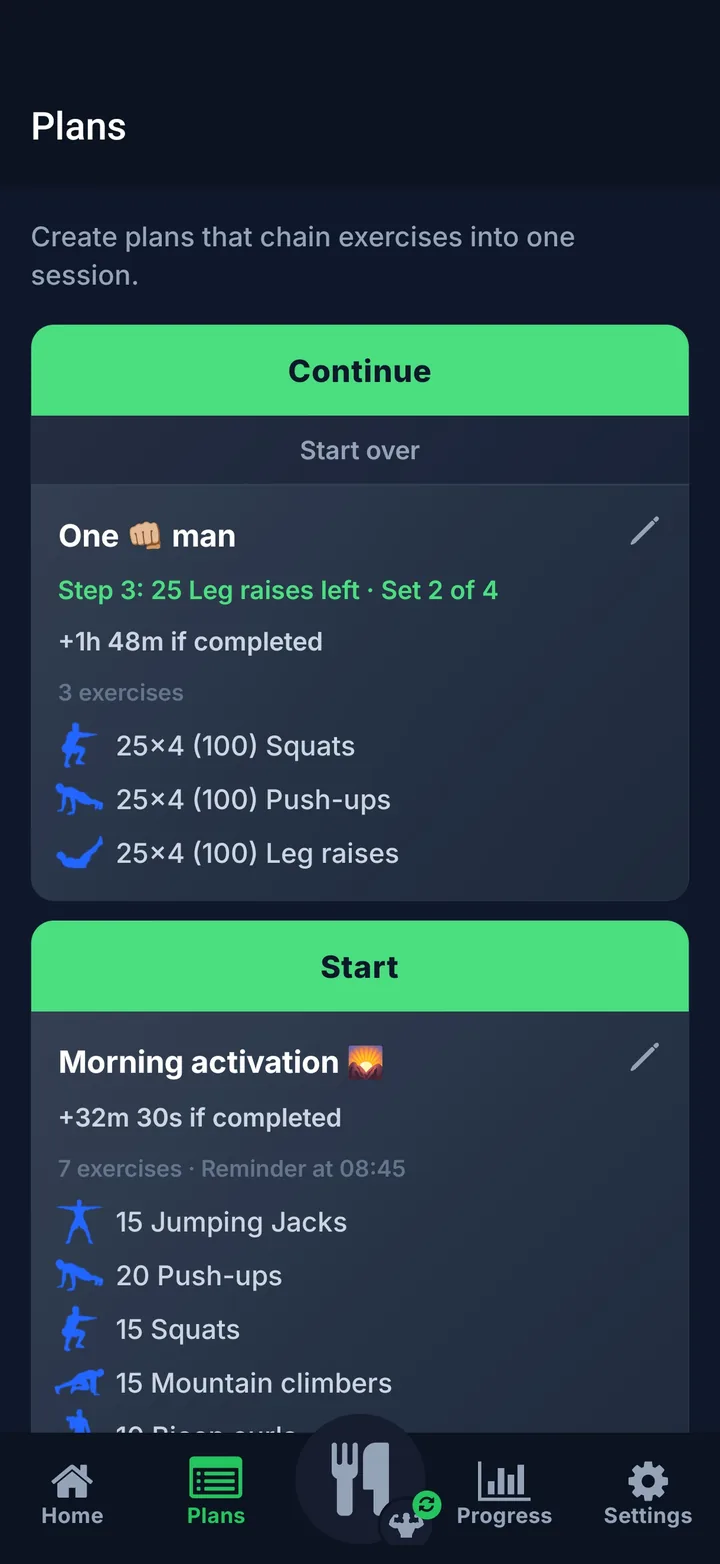
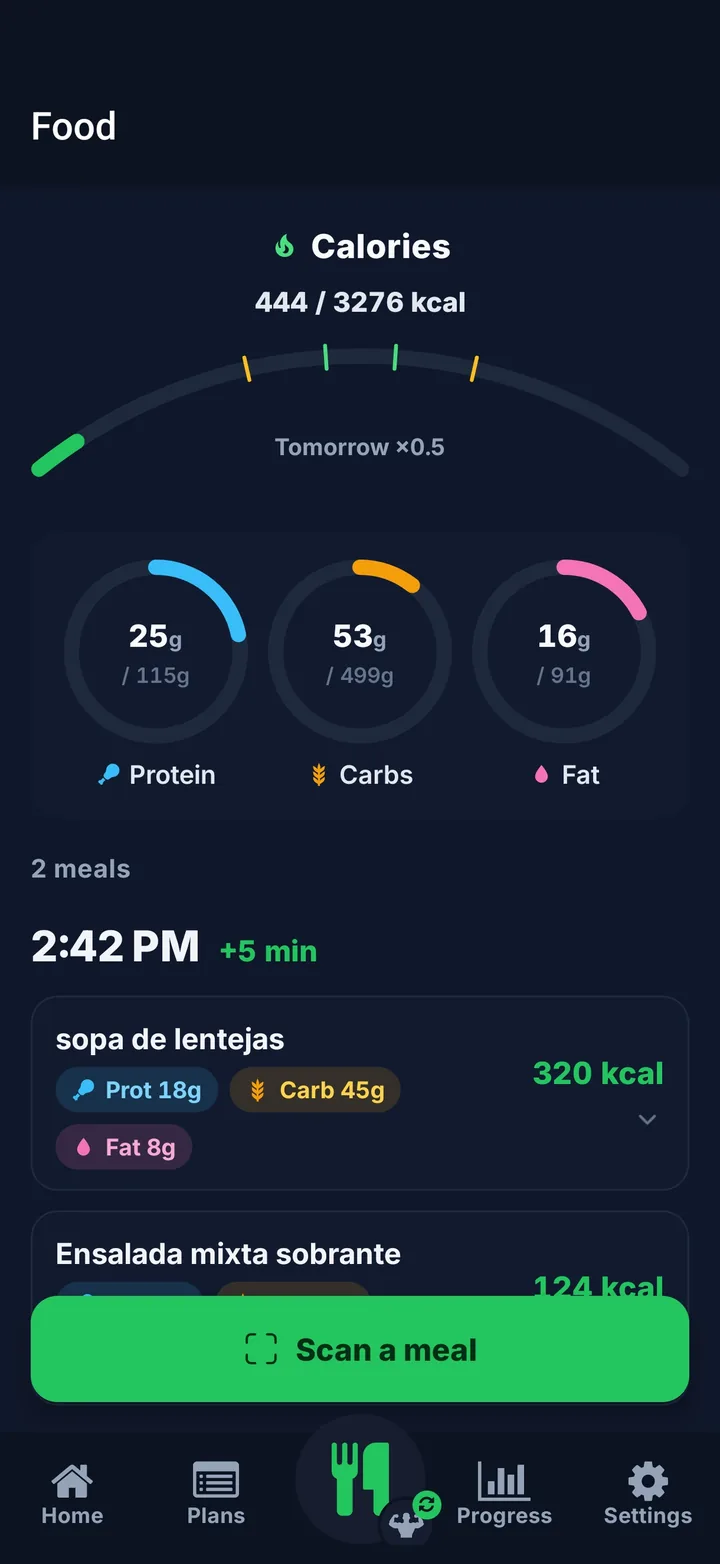
Real screenshots: your balance, chained workouts, food, progress and the screen you see the moment you run out.
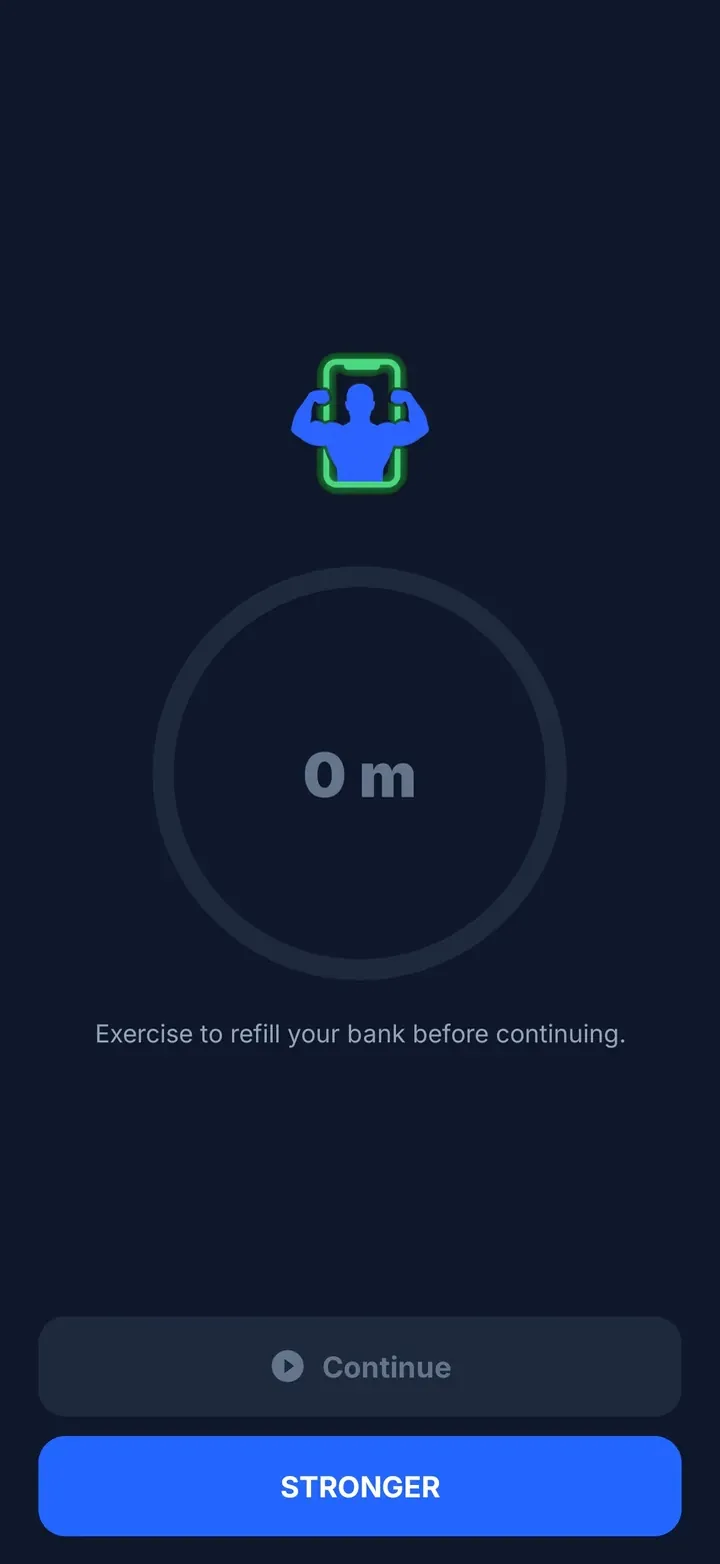
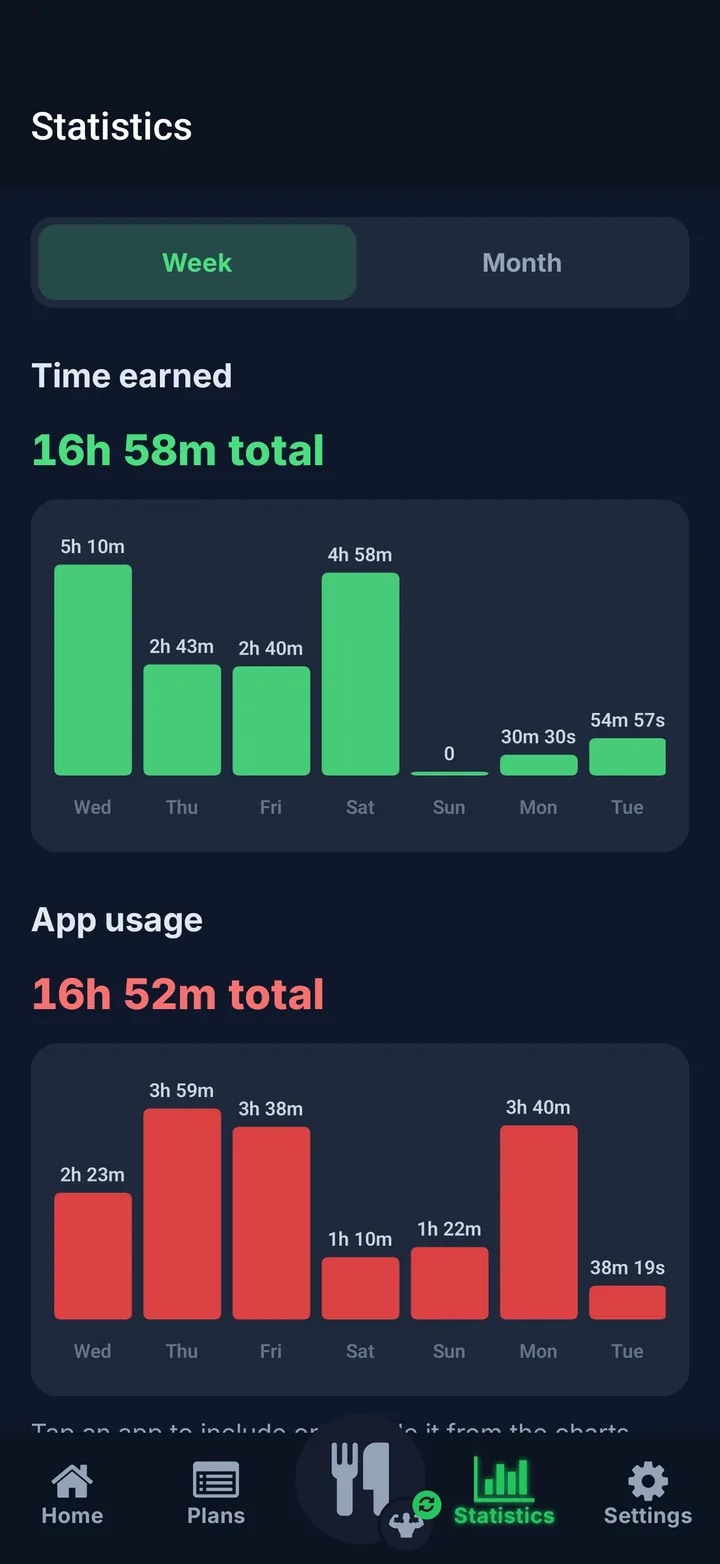
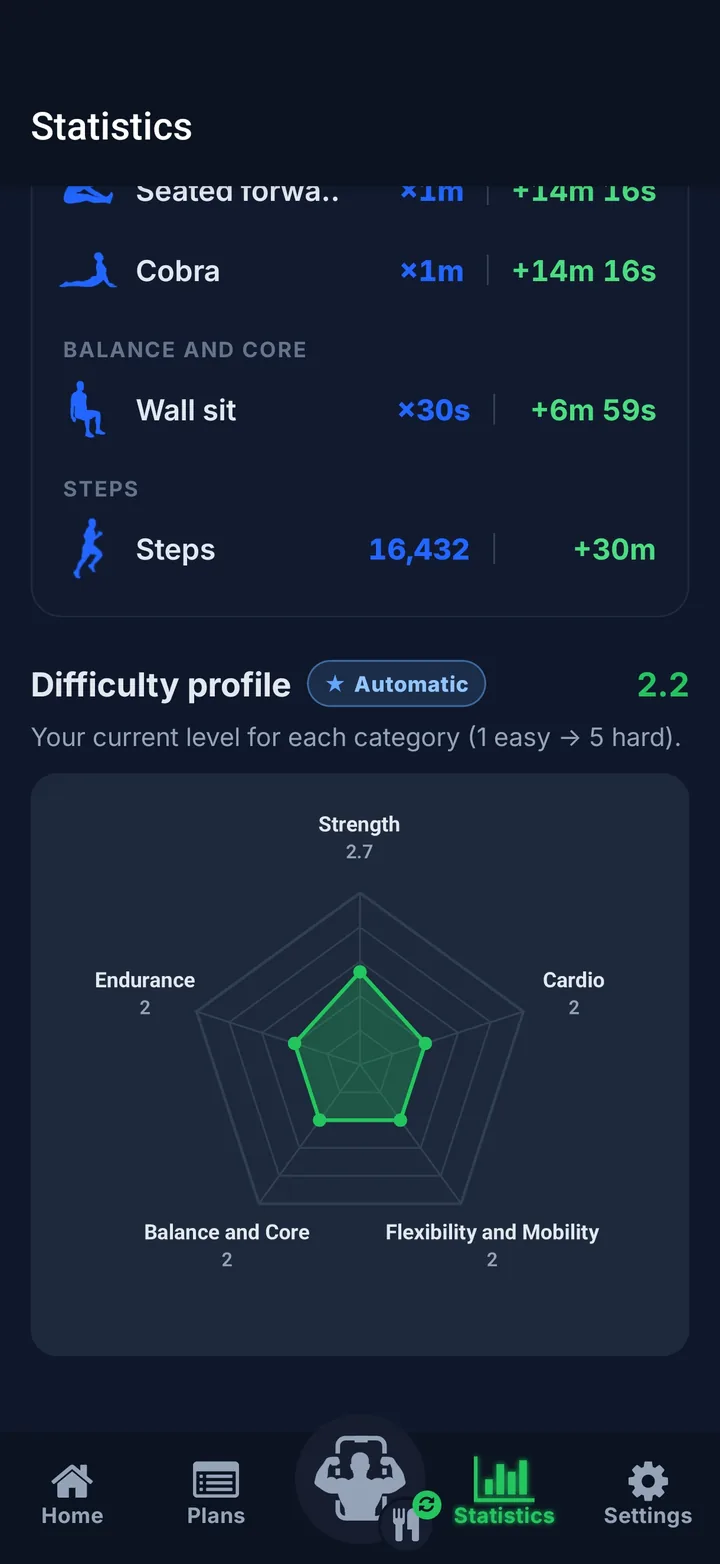
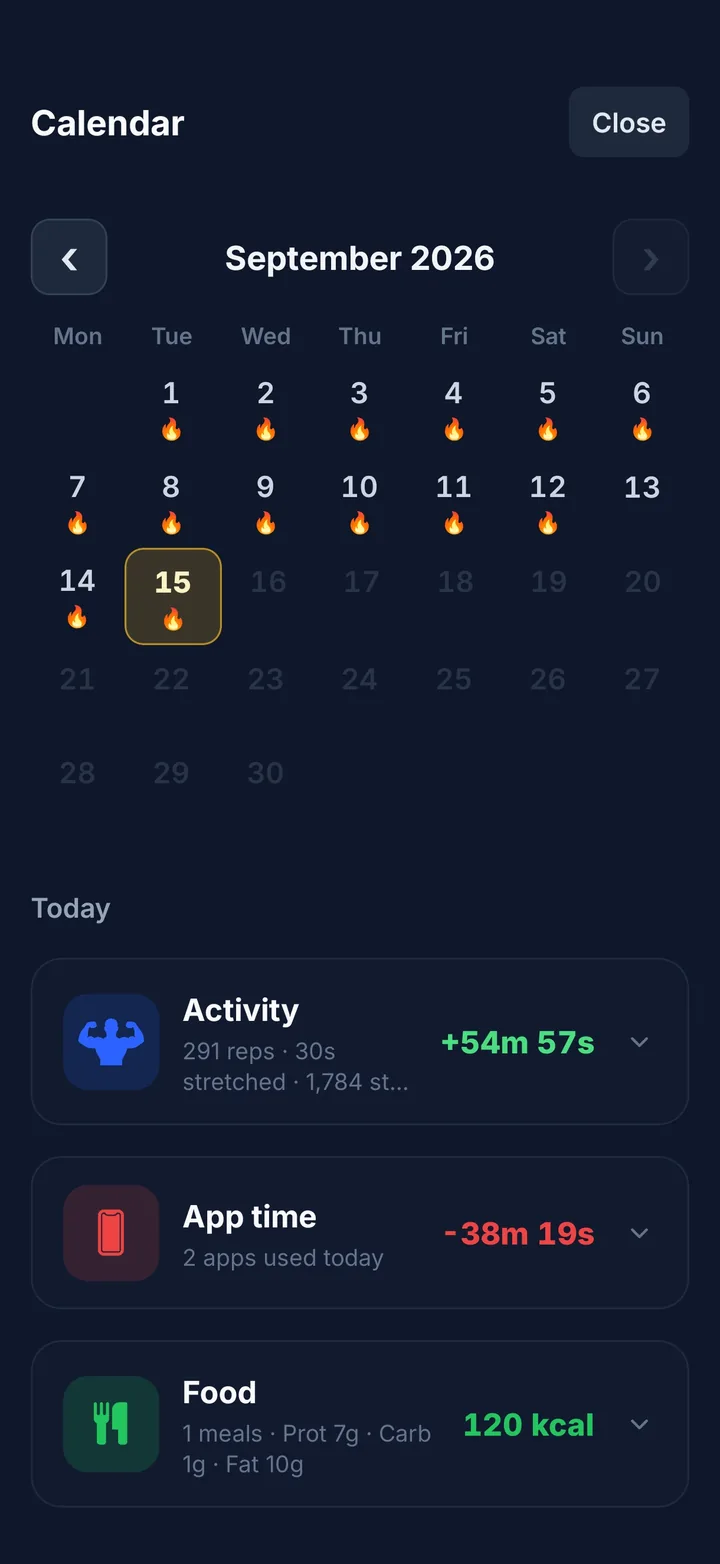
Pose detection analyses your form on the device itself and only counts clean reps. You pick the difficulty: the higher it goes, the more every minute costs you.




































They all pay +0:15 per second you hold the pose.

Rates shown at the default difficulty. Want to suffer? On “Very hard” a squat pays 15 seconds and the step goal climbs to 12,500.
Pose analysis runs in real time inside your phone: not one frame leaves the device. We do not read what is on your screen either — we only detect which app opens. Nobody watches you train in pyjamas.
Balance, history and plain statements. No minutes, no scroll: the “just five more minutes” era is over.
Chain exercises and sets into a single session — “morning circuit”, “upper body” — with a daily reminder and the total minutes waiting for you at the end.
Photograph your plate and we estimate calories and macros: +5 minutes per logged meal. Eating close to your goal keeps your multiplier at ×1; going over or under drops it to ×0.5.
Every 7 days it reviews what you earn and what you spend and recalibrates the level of each exercise. If you are getting stronger, the price goes up by itself.
Five levels per exercise. The higher you go, the more each minute of screen time costs.
Week or month: time earned against time spent, app by app, plus your difficulty profile per category and your weight over time.
Really need that app? Every blocked app has a 15-minute pause. Spend it with honour.
Every day you train, the fire grows on the calendar. Breaking a streak hurts more than the soreness.
Sure you can: uninstalling is always two taps away. But detection validates the whole movement — half a squat does not count — and if you end up doing 20 push-ups to trick an app, you still did 20 push-ups. There is no way to lose here.
That is what the 15-minute pause per app is for. And remember only what you tick gets blocked: work email or your banking app can stay off the list.
Nothing, because we never have it. Pose detection runs on your device and the video never leaves it. We do not read what is on your screen either: we only detect which app opens, to know whether it is on your blocked list.
Calorie tracking is optional and you turn it on whenever you like. If you use it, the photo of your plate does leave the phone: it goes to our server, which relies on an AI provider to estimate calories and macros, and it is discarded once the analysis is done — we keep no gallery of your meals. If you never turn the feature on, no photo ever leaves your phone.
An option that reviews every week how much time you earn and how much you spend, and raises or lowers each exercise’s level so the exchange rate keeps stinging just enough. You can switch it off and set the levels by hand whenever you want.
On Android it uses the accessibility service to intercept the app the moment it opens; on iOS it relies on Screen Time. The app walks you through the setup — a couple of minutes, once.
You start with 14 days free — no card, no strings; after that, a monthly or annual subscription. Quite a bit cheaper than all the time you are about to get back.
Yes. You can get it on Google Play, as well as on the App Store for iPhone and iPad. The 14-day trial works the same on both.
The Discord is where the next features get cooked, where news lands first and where somebody is always showing off a streak.
Download it, pick your apps and set their price. You feel it on day one.
14 days free · iOS and Android · 18 languages